
Trending Products is catalog research, not a winning-product feed
TrendMetric Research8 min read
Trending Products is the product board in TrendMetric. Each row is a catalog product with an image, category, Search Volume, Estimated Revenue, trend, competition, seasonality, and VolumeScore™. The constraint is the product: you research stored history, not every SKU on the internet, and not a feed of “winners” someone else already advertised.
That is slower than copying a screenshot list. It is also the only honest read the workspace can give you. If a TikTok SKU is not in the catalog, TrendMetric cannot invent a row for it. Dropshipping product research on this board means ranking what is stored, then deciding what to test — not importing a viral caption into Shopify tonight.
This article is the board-mechanics pass. For the demand-first workflow, read how to find trending ecommerce products. For the score, read how to read VolumeScore™. If you already have a candidate, skip ahead to validate a product idea before ads.
What appears on the board
The list is paginated. Country switching loads country volumes for the page you are looking at, not the entire catalog in one request. Unavailable appears only after a country request finishes with no stored figure — not while the row is still loading.
- Search Volume is the selected country’s stored demand, or Worldwide when no country is selected.
- Estimated Market Revenue is TAM from persisted Market Demand V2. It is not Search Volume × a fixed conversion rate × AOV, and not Shopify checkout. High-confidence rows show a base TAM; otherwise you see a modeled low–high range. Search Opportunity is separate.
- Trend and 30D / 90D come from stored series. TrendMetric does not draw a fake curve from those percentages.
- Competition is crowding (Low / Medium / High), not your live ad auction.
- VolumeScore™ is the 0–100 sort key. It is a rank, not a sales forecast.
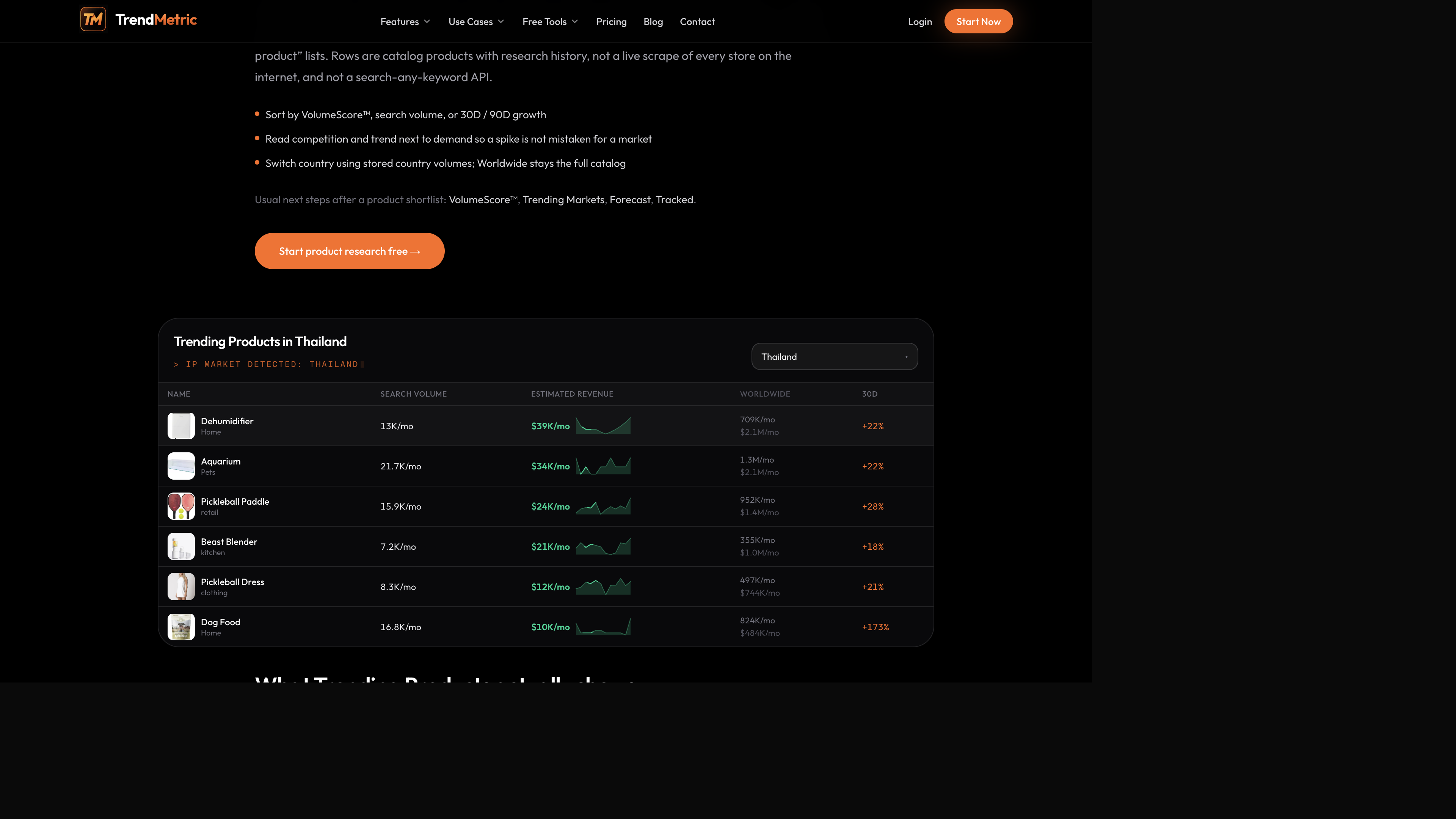
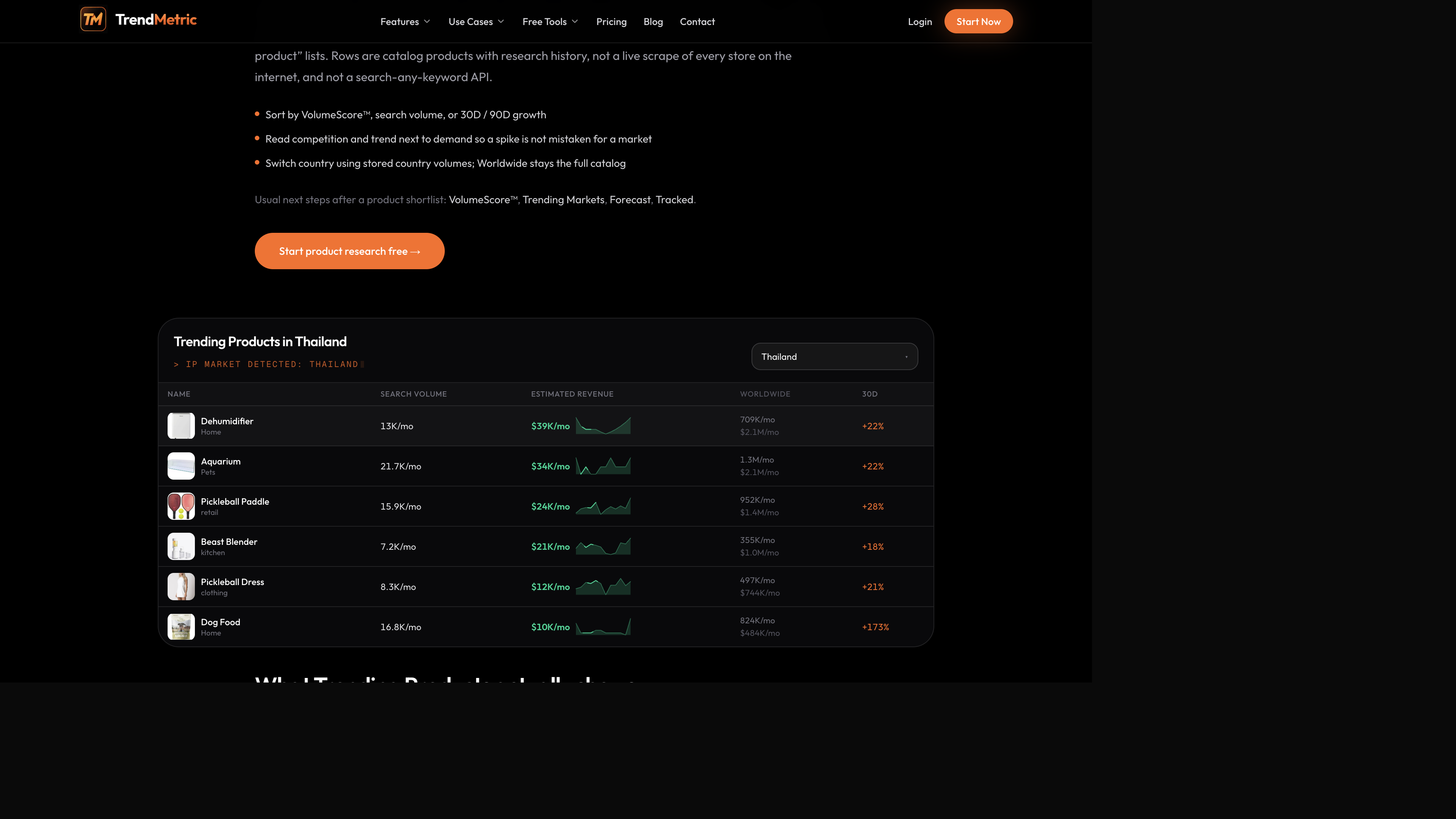
The Thailand table in the product-board shots is a useful way to learn the columns. You will see catalog names such as dehumidifier, aquarium, and pickleball-adjacent SKUs. Search Volume and Estimated Revenue follow Thailand. Worldwide stays on the row so you do not confuse a local slice with the full catalog. 30D sits at the end so a short jump is visible next to the longer picture.
Filters that change the question
Volume, estimated revenue, growth, competition, trend, and VolumeScore™ filters all run on the same catalog. If you filter estimated revenue after switching country, the filter uses that country’s revenue, not Worldwide. That is easy to miss if you set filters on Worldwide and then switch geography without looking again.
Use filters to change the question, not to manufacture a winner. “High enough Search Volume to bother testing” is a different question than “Rising this week.” “Low competition” is a different question than “large parent market.” If you stack every optimistic filter, you will get an empty page or a lie of omission.
A morning scan that respects the columns
Start on Worldwide unless you already know the shipping country. Sort by VolumeScore™. Then cut: High competition with Cooling unless you have a reason to fight it; 30D-up / 90D-flat unless you are explicitly hunting a short window; Search Volume below whatever floor you would actually staff.
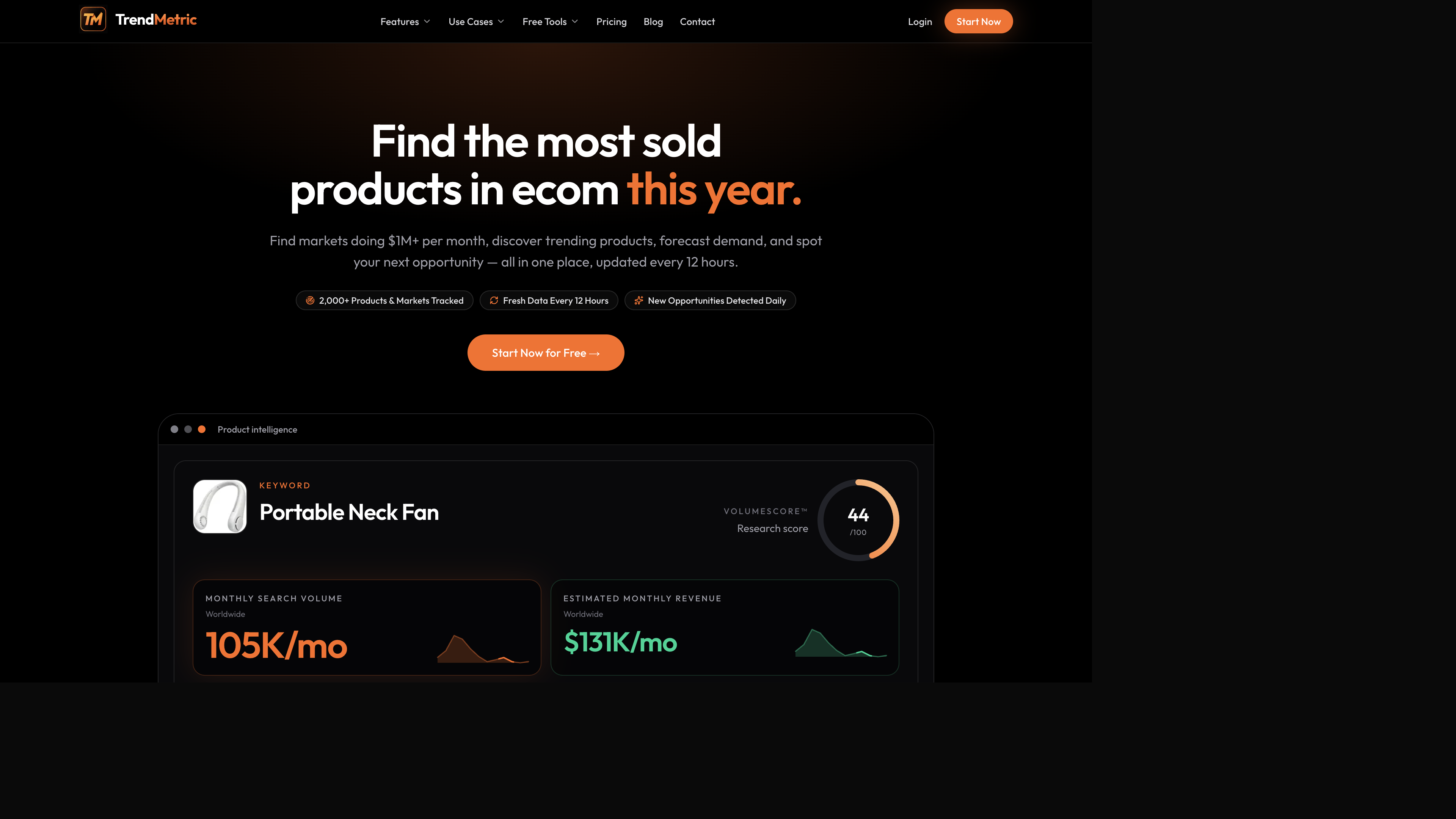
Open three products, not thirty. A neck-fan style SKU, a pickleball-adjacent SKU, and a dehumidifier-style home SKU will usually tell different stories on the same columns. Write the stories. Do not export the whole page into a sheet you will never reread.
How to read catalog examples without inventing a feed
Neck fans, pickleball paddles, protein-powder adjacent accessories, and dehumidifiers show up in TrendMetric because they are catalog products with stored history — not because the workspace crowned them winners. Use them as practice for reading the board.
A cooling-gadget row may show meaningful Worldwide interest, a mid-pack VolumeScore™, and competition that is already Medium or High. People search it. Other operators already noticed. That combination is research, not permission to bulk-order.
A pickleball row on a country board can show a loud 30D next to a modest local Search Volume. That is a short-window question. Pair it with 90D and with the country you actually ship. If you sell into one market, the Worldwide column is context, not extra demand.
A dehumidifier row is often a country story: home-climate demand is not evenly spread. Read the local cell. If it is thin or Unavailable after the request finishes, do not brief a local test off the Worldwide figure. Country vs Worldwide is the longer version of that rule.
Estimated revenue on a product row
The product board’s Estimated Market Revenue is TAM, not the Trending Markets category range, and not Search Volume × a fixed conversion rate × AOV. High-confidence rows headline the base TAM; low-confidence rows show a modeled range. Search Opportunity (search-demand dollars) stays separate. Country filters use that country’s TAM. Worldwide filters use Worldwide.
That is why a dehumidifier row can look modest locally and larger on Worldwide, and why a pickleball-adjacent row can look exciting on 30D while the revenue tile stays ordinary. The tile is not “what this will sell if you advertise it.” It is a comparison helper so you stop ranking SKUs you would never staff.
When you jump from a product to Trending Markets, do not add the product tile to the parent market range. The parent is context. The SKU is the row. Estimated revenue and MarketScore™ is the longer version of that rule.
What the board will not do
- It will not paste a Shopify URL and return a spy report. Spy on Store is Coming Soon.
- It will not search an arbitrary keyword outside the catalog. Search Product outside the catalog is Coming Soon.
- It will not draw a fake sparkline from 30D and 90D percentages when monthly history is missing.
- It will not tell you landed cost, MOQ, or whether Meta will approve the ad.
- It will not publish a guaranteed winner list. Trending describes stored demand, growth, and competition — not sell-through.
Product researchers use that constraint as discipline: you rank what is stored, then decide what to test. Brand owners use it when a SKU already sits in a tight intent inside a larger aisle. Agencies should pick one country per brief so notes do not silently mix geographies — set that on the project.
A practical morning scan
Twenty minutes. Three products. One geography. That is enough to decide what deserves a deeper pass.
- Open Trending Products. Start on Worldwide unless the shipping country is already known.
- Sort by VolumeScore™, then cut High competition with Cooling trend unless you have a reason to fight it.
- Filter Search Volume high enough that a test is worth staffing. There is no universal cutoff — the filter is there so you stop ranking SKUs you would never advertise.
- Read 30D next to 90D. Keep Rising + thin 90D on a Watch list, not an order-tonight list.
- Open three products. Switch to the country you sell. If a cell says Unavailable, that means the country request finished with no stored figure.
- Jump to Trending Markets for the category. Do not add parent and submarket estimated revenue. Then Track anything you might test this week.
Pagination, Unavailable, and what “live” means
The catalog refreshes on a stored cadence — about every 12 hours — not as a continuous crawl of every store. “Live” means you are reading the current catalog snapshot, not that TrendMetric is scraping Shopify while you scroll. Page through the list. Country volumes load for the page you are on, then cache.
Unavailable is a finished miss. Refreshing will not invent a Thailand figure for a SKU that has no stored country volume. If you need that geography, write “no stored figure” and decide whether Worldwide context is even relevant to the brief. For most local accounts, it is not a substitute.
After the shortlist: market, forecast, track
When three rows survive, open the category on Trending Markets. Estimated revenue is a modeled monthly range. Never add parent and submarket TAM. If you need markets that already clear a revenue floor and still show positive momentum, that is Who’s Scaling — a Pro cut of the same catalog.
If you have Pro, Forecast a short horizon for a Scale / Test / Watch / Caution stance. Limited confidence means the series is thin. Then Track the SKU so 7D / 30D starts today. Track Forecast is not live. Optional Tracked emails are opt-in in Settings on a paid plan.
Compare pricing before you pay only to see a board Starter already includes. Unpaid access is a limited preview. The public trending products tool is a marketing entry, not a second catalog. Create a free account and start on Worldwide, then switch country. The catalog will not invent a winning-product feed. That is the point.
If you research for a client, name the country on the project before you page through Thailand-style tables and paste them into a US deck. Tracked items store the country you were on when you saved them. The board is catalog research. The brief has to stay that honest after you leave the page.
Dropshippers who keep copying screenshot lists should stay on this workflow until competition and 90D are part of every note. The catalog will still be here after the clip is gone. A winning-product feed will not.
Related articles
FAQ
- Is Trending Products a live scrape of every store?
- No. It ranks stored catalog rows. TrendMetric does not scrape every live store on demand, and it does not offer a search-any-keyword API.
- What if the product I want is not on the board?
- Then you cannot rank, forecast, or track it here. Spy on Store and Search Product outside the catalog are Coming Soon. Missing SKUs stay missing.
- Is estimated revenue on a product row real checkout data?
- No. Estimated Market Revenue is modeled TAM from Market Demand V2 — not Search Volume × a fixed conversion rate × AOV, and not Shopify checkout. High-confidence rows show a base TAM; low-confidence rows show a modeled range. Search Opportunity is a separate search-demand estimate.
- Does switching country download the entire catalog?
- No. The product board loads country volumes for the current page, then caches them. Unavailable appears only after a country request finishes with no stored figure.
- Which plan includes Trending Products?
- Starter, Pro, and Business all use the same live catalog. Who’s Scaling, AI Market Analysis, and Forecast are Pro. Unpaid access is a limited preview.